
LuckyElf Casino in Your Pocket
We are LuckyElf Casino, and the app does what it says on the tin: Pragmatic Play and NetEnt slots, Evolution live tables and a sportsbook, all on the phone you already carry. Take the 100% bonus and 100 free spins, then judge it yourself.
The LuckyElf Casino App in Plain Terms
What you get on your phone, and what you can check for yourself.
We are LuckyElf Casino, and our app does one thing well: it puts the same lobby you see on desktop into your pocket. Same account, same balance in AUD, same games. Nothing gets watered down because the screen got smaller.
The slots side runs on Pragmatic Play, NetEnt and Push Gaming. That means Gates of Olympus, Book of Dead and Starburst load in portrait or landscape. The live tables come from Evolution, so blackjack and roulette are streamed by real dealers, not cartoons. If you'd rather bet on sport or sit down for poker, those tabs are there too. You can move between them without logging out and back in.
Money is the part most people care about, so here it is. You can deposit with Visa, Mastercard or Maestro, with e-wallets like Skrill, Neteller and ecoPayz, or with a Paysafecard voucher. Crypto players get Bitcoin, Ethereum, Litecoin, Dogecoin and TRON. Pick what suits you and leave the rest.
New players can claim a 100% match on the first deposit plus 100 free spins, straight from the app. Read the terms before you tap the button, the same as you'd check the fence before you let the dog out. If something goes wrong, live chat, email and phone support all work from the menu. Fair enough, we reckon.
Mobile Site vs LuckyElf App: Which One Suits You
Same account, same games, two ways in. Here is how they stack up.
Both doors lead to the same paddock. Your AUD balance, your bonus progress and your history sit on one account, so a spin of Gates of Olympus on the app shows up when you log in through Chrome later. The real differences are speed, storage and how often you want to type a password.
The mobile site needs nothing installed. Open it, log in, play. It suits anyone with a phone that is already full of photos of the dog. The app costs a bit of space but loads the lobby faster, remembers your login with Face ID or a fingerprint, and sends a push note when a new promo lands. Live tables from Evolution run on both, though the app copes better when the signal drops out past the back fence.
Our advice is plain: try the browser first. If you find yourself coming back most nights, install the app. If you don't, you've lost nothing.
| Feature | Mobile site | App |
|---|---|---|
| Installation | None, opens in any browser | One-time download, about 60 MB |
| Login | Email and password each session | Biometric login after first setup |
| Game library | Full catalogue: Evolution, Pragmatic Play, NetEnt, Push Gaming | Full catalogue, same providers |
| Lobby load speed | Depends on browser and cache | Faster, assets stored on device |
| Push notifications | No | Yes, for promos and withdrawals |
| Payments | Visa, Mastercard, Skrill, Bitcoin, Ethereum and more | Same methods, same AUD limits |
| Welcome offer | 100% bonus + 100 free spins | 100% bonus + 100 free spins |
| Live chat support | Yes | Yes, built into the menu |
| Updates | Automatic, nothing to do | Occasional update prompt |
| Weak signal handling | Can stall on live tables | Holds a connection better |
Android Download
Get LuckyElf onto your phone in a few minutes, no Play Store needed.
We don't list the LuckyElf Casino app on Google Play, so the Android version comes straight from our site as an APK file. It takes a couple of minutes and a bit of trust in your own settings menu. The file is small and runs fine on most phones from the last five or six years.
Once it's on there you get the same lobby as the desktop site: Gates of Olympus, Book of Dead, Starburst, live tables from Evolution and slots from Pragmatic Play, NetEnt and Push Gaming. Deposits work the same way too, with Visa, Mastercard, Skrill, Neteller and crypto like Bitcoin, Ethereum and Litecoin, all in AUD. The welcome offer of 100% plus 100 free spins can be claimed from the app as well.
If something goes sideways during the install, live chat is in the app menu and the support team will sort it out. Nobody needs to call a cousin who's good with computers.
Go to LuckyElf Casino in Chrome or any mobile browser and tap the Android icon in the menu.
Tap the download button. Your phone may warn you about the file type. That's normal for apps from outside Google Play.
Open Settings, find Security or Apps, and let your browser install unknown apps. You can switch it off again afterwards.
Tap the downloaded file, press Install, wait a few seconds, then open the LuckyElf icon on your home screen.
Use your existing account or register a new one, then make your first deposit in AUD.
Installing LuckyElf Casino on iOS
No App Store download needed: about a minute in Safari and you're done.
We don't have a native app in the App Store, and frankly you don't need one. LuckyElf Casino runs as a web app in Safari, and once it's on your home screen it opens full screen, same as anything else on your phone. It takes up next to no storage, there's nothing to update by hand, and you get the same lobby as the desktop site: Gates of Olympus, Book of Dead, Starburst and the Evolution live tables all load fine on a recent iPhone.
It works on iOS 14 or newer. Older phones might still run it, but we'd rather tell you that now than have you find out halfway through a hand of blackjack.
Use Safari for this, not Chrome or another browser. Other browsers on iOS often don't offer the home screen option.
Type in our address and wait for the lobby to finish loading. Log in now if you want to save a step later.
It's the square with the arrow pointing up, at the bottom of the screen on most iPhones.
Scroll the menu a little if you can't see it. Leave the name as it is or shorten it, then tap Add.
The LuckyElf icon now sits with your other apps. Tap it, log in, and your deposits, bonus balance and 100 free spins are right where you left them.
Full App Features
Everything the desktop site does, shrunk down to fit your pocket.
The app carries the same slots as the main site, from Pragmatic Play, NetEnt and Push Gaming. Gates of Olympus, Book of Dead and Starburst are all there. Nothing gets left out because the screen is smaller.
Blackjack, roulette and game shows stream straight to your phone. The picture adjusts to your connection, so a weak signal out past the paddock gives you a softer image, not a dropped hand.
Sports markets, live odds and poker sit in the same account as the casino. One login and one balance. You won't need to move money between wallets just to bet on the footy at half-time.
Deposit in AUD with Visa, Mastercard, Maestro, Skrill, Neteller, ecoPayz or Paysafecard. If you'd rather use crypto, there's Bitcoin, Ethereum, Litecoin, Dogecoin and TRON. Pick whichever you trust, then check the cashier for limits.
The welcome offer is a 100% match plus 100 free spins, and the app shows exactly how much wagering you have left. It's in plain numbers, so you don't have to work it out on a napkin.
Live chat opens from any screen, and email and phone are listed in the menu. If something goes wrong mid-spin, you talk to a person instead of digging through a help page.
LuckyElf Casino App Screenshots
Six screens from the app, shown as they are, no touch-ups.
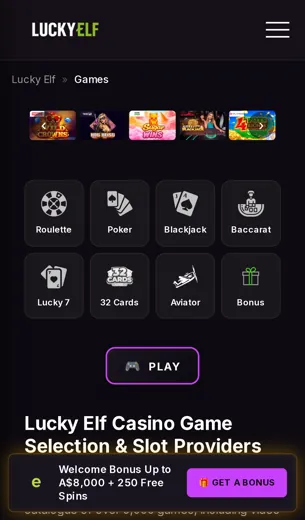
Plenty of casinos tell you their app looks good. We'd rather show you. These six screens come from the LuckyElf Casino app on a standard phone. Nobody polished them, and the lobby on yours will look the same.
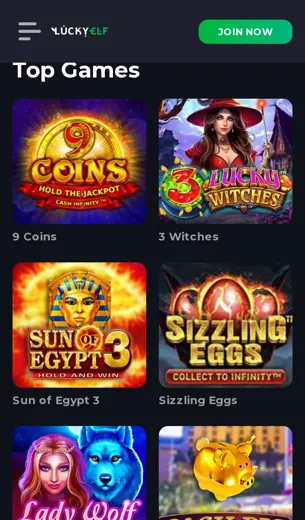
The home screen puts the welcome offer up top: 100% on your first deposit plus 100 free spins. Below that sit the slots most people actually play, Gates of Olympus, Book of Dead and Starburst, then the provider rows from Pragmatic Play, NetEnt, Push Gaming and Evolution. The live casino tab runs Evolution tables, and the stream fits a portrait screen without you squinting at the cards.
The cashier is the screen worth a proper look. Visa, Mastercard, Maestro, Skrill, Neteller, ecoPayz and Paysafecard sit next to Bitcoin, Ethereum, Litecoin, Dogecoin and TRON, with balances shown in AUD. Pick a method, type an amount, confirm. Three taps, which is about how many it should take.
Sports betting gets its own tab with a bet slip that stays out of the way until you need it. The support screen opens live chat, email or phone from the same menu, so you're not digging through settings to find a human.
Have a look, then make up your own mind. Screens don't lie much, and when they do, you'll spot it.
First Deposit Bonus
A 100% match and 100 free spins: what you get, and what to check first.
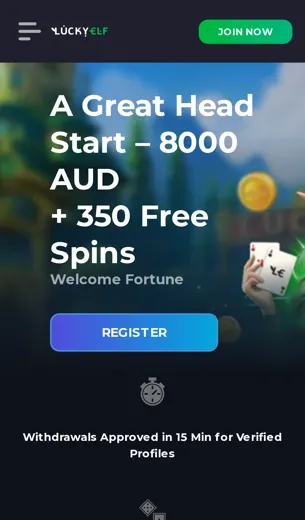
Our first deposit offer is simple. Put money in, and we match it 100%, then add 100 free spins on top. That doubles your starting balance, which is about as much excitement as a bank statement should offer.
The match works the same whether you fund your account in AUD with Visa, Mastercard or Maestro, use an e-wallet like Skrill, Neteller or ecoPayz, or send Bitcoin, Ethereum, Litecoin, Dogecoin or TRON. Paysafecard works too, if you'd rather not share card details. You can spend the bonus balance on most of the slot lobby, including Gates of Olympus from Pragmatic Play, Book of Dead and Starburst.
Read the terms before you deposit. Every bonus comes with wagering requirements, a maximum bet while the bonus is active, and games that count less toward wagering, live tables from Evolution usually among them. None of that is hidden. It sits on the promotions page in plain words, and our live chat team will go through it with you if the fine print reads like a tractor manual.
- 100% match on your first deposit
- 100 free spins added to your account
- Same offer in the app and on desktop
- Crypto and card deposits both qualify
App FAQ
Short answers to the questions players actually ask before installing.
What exactly is LuckyElf Casino?
An online casino with slots, live tables, poker and sports betting in one app. Games come from Evolution, Pragmatic Play, NetEnt and Push Gaming.
Is LuckyElf a legitimate casino?
We hold a Curaçao licence. Full details sit in the licence section further down the page, so you can check them yourself.
How do I check if any casino is legit?
Find the licence, then confirm it with the regulator. Look at the game providers and test a small withdrawal before you trust a site with more.
How can I spot a fake gambling site?
No licence, games from studios nobody has heard of, and bonuses that look too good to be true. If it smells off, it usually is.
Which currency does the app use?
AUD. Crypto deposits are converted at the rate shown on screen.
What payment methods work in the app?
Visa, Mastercard, Maestro, Skrill, Neteller, ecoPayz, Paysafecard, plus Bitcoin, Ethereum, Litecoin, Dogecoin and TRON.
What is the welcome offer?
A 100% match on your first deposit and 100 free spins. Read the terms before you claim it.
What does a 40x wagering requirement mean?
You bet the bonus amount 40 times before you can withdraw it. A 50 AUD bonus means 2,000 AUD in bets.
Which games are popular on mobile?
Gates of Olympus, Book of Dead and Starburst. All three run well on a phone screen.
Can I play live dealer games in the app?
Yes. Evolution tables stream straight to the app, and a decent connection keeps them smooth.
How do I reach support?
Live chat, email or phone. Live chat is the quickest.